Tracked shipping to Austria with premium packaging for just 3,99 € 

Ship to
Austria
0
  • argentina
  • chile
  • colombia
  • españa
  • méxico
  • perú
  • estados unidos
  • internacional

Select your country

Americas

Europe

Rest of the world

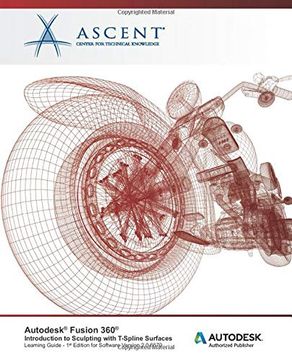
portada Autodesk Fusion 360: Introduction to Sculpting With T-Spline Surfaces: Autodesk Authorized Publisher
Type
Physical Book
Year
2020
Language
English
Pages
350
Format
Paperback
ISBN13
9781951139827

Autodesk Fusion 360: Introduction to Sculpting With T-Spline Surfaces: Autodesk Authorized Publisher

Ascent - Center For Technical Knowledge (Author) · · Paperback

Autodesk Fusion 360: Introduction to Sculpting With T-Spline Surfaces: Autodesk Authorized Publisher - Ascent - Center For Technical Knowledge

New Book Imported to Austria
Delivery: 14 Aug - 21 Aug Shipping: 17 to 21 business days.
90,38 €
Import costs and 10% VAT included in the price ✅
90,38 €

Synopsis "Autodesk Fusion 360: Introduction to Sculpting With T-Spline Surfaces: Autodesk Authorized Publisher "

The Autodesk® Fusion 360® software combines locally installed and cloud-based tools. It enables users to use parametric modeling and surface modeling techniques to create 3D designs. The Autodesk® Fusion 360®: Introduction to Sculpting with T-Spline Surfaces guide focuses on surface modeling and how to effectively use the FORM contextual environment of the DESIGN workspace. Through a hands-on, practice-intensive curriculum, you will learn the key skills and knowledge required to create organic, highly shaped, and visually appealing models.Software VersionAs a cloud-based platform, updates are frequently available for the Autodesk Fusion 360 software. This guide has been developed using software version: 2.0.6670. If you are using a version of the software later than version 2.0.6670, you might notice some variances between images and workflows in this learning guide and the software that you are using.Topics CoveredDescribing the differences between solid and T-Spline surface modeling.Creating new projects, loading files into projects, and opening files for use in the Autodesk Fusion 360 software.Using the Autodesk Fusion 360 interface, navigating a design, locating commands, and controlling a design’s visual display.Creating T-Spline surface geometry using the Box, Plane, Cylinder, Sphere, Torus, and Quadball quick shape tools.Creating planar and non-planar flat surfaces.Attaching a canvas image to a plane and using it to create T-Spline geometry.Editing the shape of a T-Spline’s control frame by manipulating its points, edges, and faces.Assigning or clearing symmetry on T-Spline geometry.Creating, constraining, and dimensioning 2D sketches.Creating and using construction features in a design.Creating extruded T-Spline geometry by extruding a sketch.Creating revolved T-Spline geometry by revolving a sketch around a centerline.Creating swept T-Spline geometry using appropriate path and profile entities.Creating lofted T-Spline geometry using appropriate profile and reference entities.PrerequisitesN/A

Customers reviews

Frequently Asked Questions about the Book

All books in our catalog are Original.
The book is written in English.
The binding of this edition is Paperback.

Questions and Answers about the Book

Do you have a question about the book? Login to be able to add your own question.

Opinions about Bookdelivery

More customer reviews