Tracked shipping to Austria with premium packaging for just 3,99 € 

Ship to
Austria
0
  • argentina
  • chile
  • colombia
  • españa
  • méxico
  • perú
  • estados unidos
  • internacional

Select your country

Americas

Europe

Rest of the world

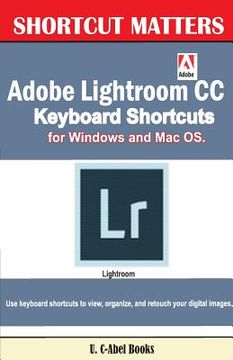
portada Adobe Lightroom CC Keyboard Shortcuts for Windows and Mac OS
Type
Physical Book
Publisher
Language
English
Pages
60
Format
Paperback
Dimensions
21.6 x 14.0 x 0.3 cm
Weight
0.08 kg.
ISBN13
9781543227345

Adobe Lightroom CC Keyboard Shortcuts for Windows and Mac OS

U. C. Books (Author) · Createspace · Paperback

Adobe Lightroom CC Keyboard Shortcuts for Windows and Mac OS - Books, U. C.

New Book Imported to Austria
Delivery: 17 Jul - 24 Jul Shipping: 16 to 20 business days.
19,59 €
Import costs and 10% VAT included in the price ✅
19,59 €

Synopsis "Adobe Lightroom CC Keyboard Shortcuts for Windows and Mac OS"

Are you desiring to be a professional in Lightroom? Do you want to just find a way you could use to liven up, add colours, and retouch your digital images? Or do you generally find it difficult to manage your photos in Lightroom? Don't worry, this book has come to help. Maybe it is the way it is because you have not tried the use of keyboard shortcuts as an option. U. C-Abel Books wants to tell you some keyboard shortcuts that will work for you. The following topics are contained in this title: Fundamental Knowledge of Keyboard Shortcuts: Definition of Computer Keyboard, Ways To Improve In Your Typing Skill, Mouse, Definition Of Keyboard Shortcuts, Why You Should Use Shortcuts, Ways To Become A Lover Of Shortcuts, How To Learn New Shortcut Keys, Your Reward For Knowing Shortcut Keys, Why We Emphasize On The Use of Shortcuts. 15 (Fifteen) Special Keyboard Shortcuts Keyboard Shortcuts for Use in Adobe Lightroom: Keys for Working with Panels, Keys for Navigating Modules, Keys for Changing Views and Screen Modes., Keys for Using a Secondary Window, Keys for Managing Photos and Catalogs, Keys for Comparing Photos in the Library Module, Keys for Rating and Filtering Photos, Keys for Working with Collections, Keys for Working with Metadata and Keywords in the Library Module, Keys for Working in the Develop Module, Keys for Working in the Slideshow Module, Keys for Working in the Print Module, Keys for working in the Web Module, Keys for Using Help. Your success will not be debated when you learn them well and use them regularly.

Customers reviews

Frequently Asked Questions about the Book

All books in our catalog are Original.
The book is written in English.
The binding of this edition is Paperback.

Questions and Answers about the Book

Do you have a question about the book? Login to be able to add your own question.

Opinions about Bookdelivery

More customer reviews